

System messages can be sent via the web service Messages section. Messages can be read in both the mobile and web services (Note! Sending messages requires appropriate permissions. Usually, administrative and supervisor users have this permission, but regular employees do not).
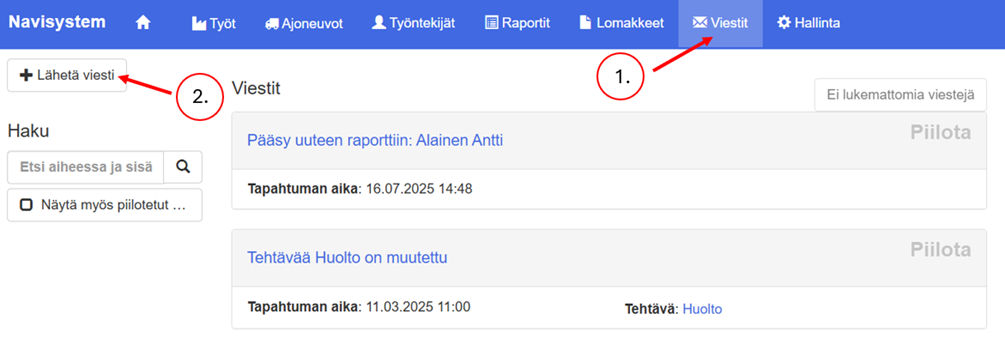
- Click on the top menu Messages
- Select from the top left Send a message
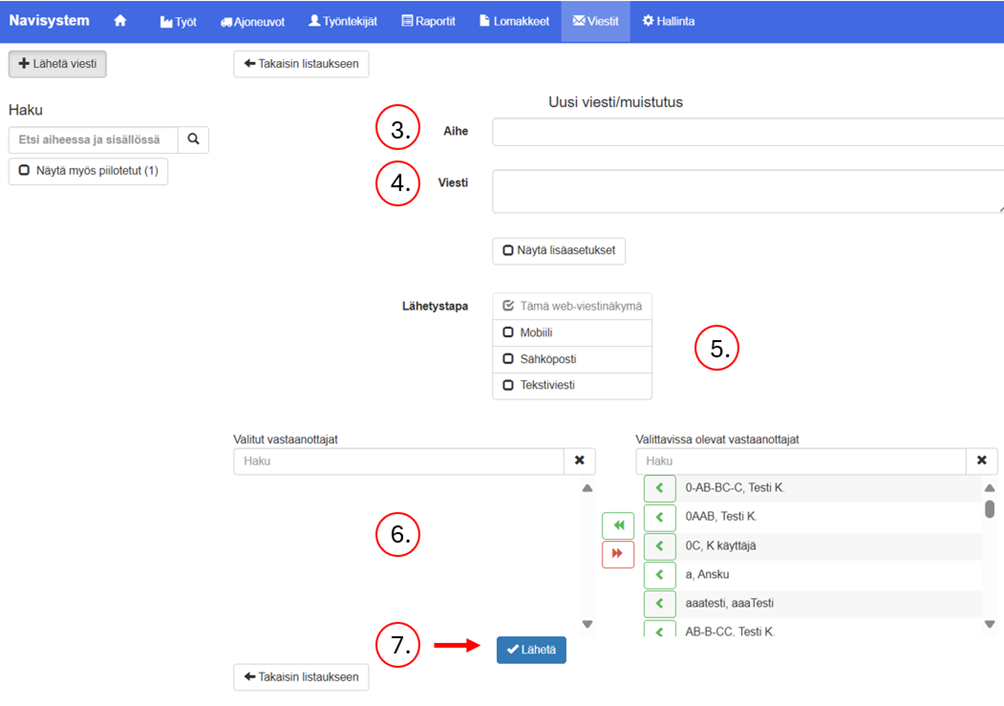
- Write a subject and text for the message.
- Set additional settings if desired. See the following list.
- Select the delivery method. Note! Text message forwarding is an additional service for a fee.
- Select recipients
- Send a message Close in-from the button
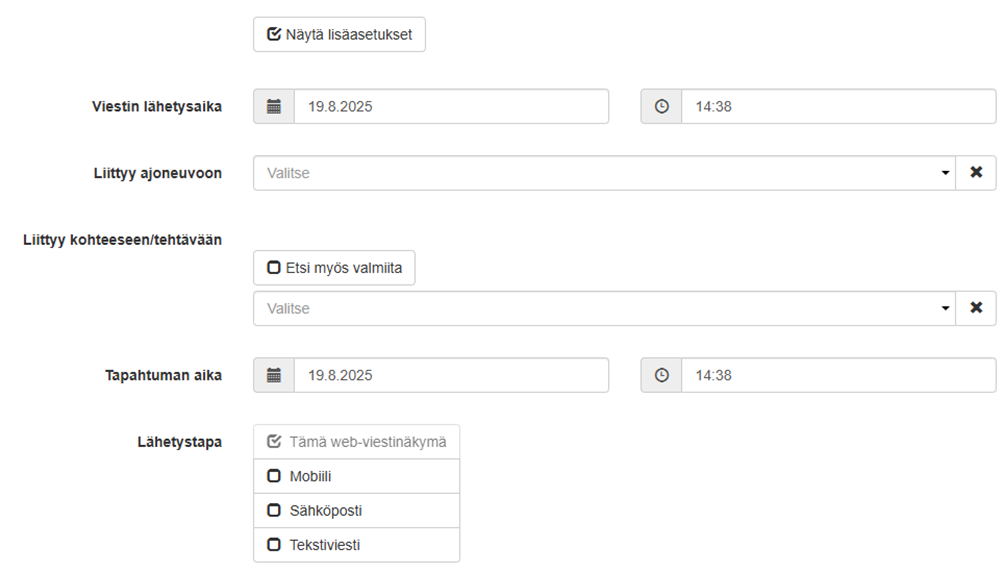
To enable advanced settings, fill in the checkbox Show advanced settings
In the additional settings, you can:
- Sets the sending time for the message.
- Attaches a link to the selected vehicle to the message
- Attaches a link to the selected work item to the message
- Sets the event time for the message