


Navicom Oy's services are managed via the website with the administrator's Administration credentials. The website uses a secure connection, so you can use the service anywhere. Log in to the online service at https://www.navisystem.fi/
Näin kirjaudut navisystemin verkkopalveluun:
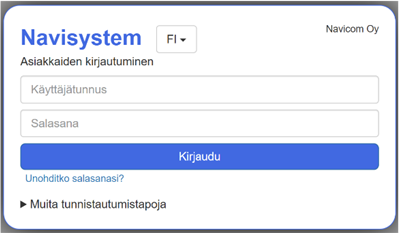
- Mene Navisystemin kirjautumissivulle osoitteessa https://www.navisystem.fi/
- Syötä Navisystemin kirjautumisnäkymässä Navisystem-käyttäjätunnuksesi.
- Syötä seuraavaksi salasana.
- Jos olet unohtanut salasanasi, klikkaa Unohditko salasanasi? -painiketta ja seuraa ohjeita.
- Voit myös vaihtoehtoisesti kirjautua palveluun sähköpostin avulla painikkeesta Muita tunnistautumistapoja
Verkkopalvelu
Navisystemin verkkopalvelu mahdollistaa työajan kirjaamisen tietokoneella selaimen kautta. Verkkopalvelu soveltuu erityisesti toimihenkilöille sekä työntekijöille, jotka työskentelevät säännöllisesti tietokoneen äärellä.
Verkkopalveluun kirjaudutaan henkilökohtaisilla käyttäjätunnuksilla. Käyttäjätunnus on yleensä muodossa: etunimi.sukunimi@yritys.fi
Verkkopalvelun kautta voidaan tehdä työaikamerkintöjä sekä tarkastella omia työaikatietoja järjestelmän käyttöoikeuksien mukaisesti.
Mobiilipalvelu
Navisystemin mobiilipalvelu on työntekijöiden ensisijainen työajan kirjausväline. Sen avulla työajan leimaukset voidaan tehdä suoraan mobiililaitteella ajasta ja paikasta riippumatta.
Mobiilipalveluun kirjaudutaan työntekijän henkilökohtaisella mobiilikirjautumislinkillä, jonka työnjohto toimittaa työntekijälle. Linkki on käyttäjäkohtainen, ja se kannattaa tallentaa mobiililaitteen aloitusnäyttöön pikakuvakkeeksi, jolloin palveluun pääsee nopeasti ja vaivattomasti.
Mobiilipalvelua käyttävät pääsääntöisesti kaikki työntekijät, jotka tekevät työaikamerkintänsä liikkuvassa työssä tai työskentelevät eri kohteissa.
Kulunvalvontapalvelu
Työaikaa voidaan kirjata myös kulunvalvontalaitteella. Kulunvalvontapalvelu perustuu työajan leimaamiseen fyysisen laitteen avulla työpäivän alkaessa ja päättyessä.
Kulunvalvontalaite voi sijaita:
- kiinteässä toimipisteessä tai toimitilassa
- työajoneuvossa
Kulunvalvontalaitteella tehtävät leimaukset siirtyvät automaattisesti Navisystem-järjestelmään, jolloin työaika kirjautuu ilman erillistä merkintää mobiili- tai verkkopalveluun.