


Electronic driving logbook
An electronic logbook that meets the Tax Administration’s requirements. Trusted by over 1,000 companies and tracking more than 5,000 vehicles since 2009
Affordable and easy-to-use service
Navi - eDriving logbook
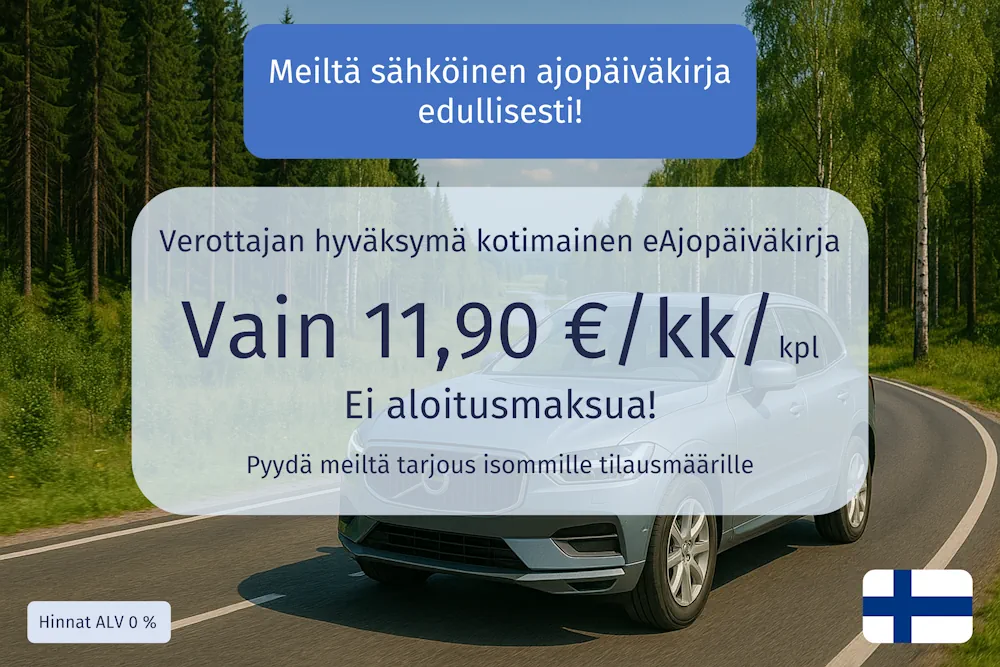
The Navicom driving log service automatically records all your trips into an electronic driving log. If necessary, trip descriptions can be easily attached to all trips. Any private trips are subsequently separated in the web application. The driving log can be saved as a PDF or Excel file with a single click.
Upon commissioning, you will receive a GPS vehicle tracker and service credentials for the Navisystem web application. The service is ready to use. Once the tracker is connected to the vehicle, it immediately starts recording an automatic driving log of all trips. After commissioning, you no longer need to manually record trips on paper or in Excel.
eDriving logbook+ includes the use of selection buttons to distinguish between work and private driving while driving, as well as driver identification. Fill out the contact form and our sales representatives will provide you with an offer.
Contact us
When you order from us, you know what you're getting.
Ready-to-use service
A truly domestically developed service
Automatic solution
Approved by the tax authority
Reliable and safe
Watch the video to see how easily you can print your driving logbook for the tax authorities.
Automatically collect your trips using the Navi-eDriving Log service. Easily download your tax-approved driving log to your computer from the online service.
Matkalaskupalvelu ajopäiväkirjapalvelun tueksi?
Matkalaskupalvelu kannattaa ottaa käyttöön, kun ajot vaikuttavat korvauksiin tai niitä kirjataan käsin. Yhdistämällä ajopäiväkirja ja matkalasku samaan järjestelmään ajot siirtyvät automaattisesti matkalaskulle.
Mitä hyötyä tästä on?
Ajoneuvo ja peräkärry näkyvät yhtenä kokonaisuutena
Kilometrit ja päivärahat lasketaan automaattisesti
Kuitit ja tositteet on helppo liittää samaan kokonaisuuteen
Manuaalinen työ vähenee ja virheiden riski pienenee
Tiedot siirtyvät valmiina palkanlaskentaan
Lopputuloksena saat yhden selkeän prosessin, joka säästää aikaa ja varmistaa, että kaikki korvaukset tulevat oikein.

What do our customers say?
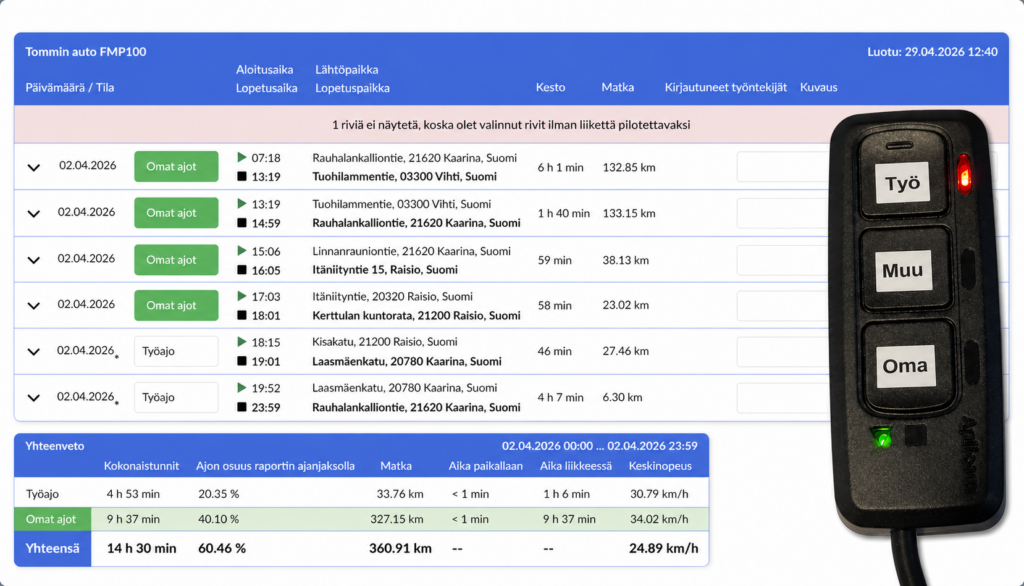
Choose Work and Private drive mode
If the vehicle is used for both business and private driving, the trips should be separated in the driving log. You may be eligible for a tax deduction if private use is minimal. On the other hand, incomplete or unclear records may lead to additional taxes.
Trip separation with buttons. On the road
Trip separation in the app Afterwards in the driving log
Easy report download Filter in the report ie. work drives and download in the PDF or Excel
Features
Automatic electronic driving logbook. Reliable and easy driving logbook for the taxman.
Support for driver identification. With an identification tag or mobile app.
Reliable GPS locator. A positioning solution that suits the customer's needs.
Storing diaries in the cloud. Retention for at least the period required by the tax authorities. Secure cloud service.
Separation of business and private driving. Trips can be classified using buttons or added afterwards.
Functionality guarantee. We promise to always replace a defective locator with a new one free of charge.
4 different installation methods: cigarette lighter socket, OBD connection, direct battery connection or fixed installation
Choose the locator model that suits your needs
The Navicom driving log service automatically starts recording data in the driving log when the tracker is attached to the vehicle. The electronic driving log report, approved by the tax authorities, is available at any time in your own Navisystem web application.

For cigarette lighter socket
A locator that is very easy to connect and disconnect.
If necessary, a splitter can be used in the cigarette lighter socket, allowing you to use a navigation device or phone charger at the same time.

OBD connection
A tracker that is very easy to connect and disconnect. Almost all cars have an OBD connection.
This model is a functional solution if the tracker needs to be hidden and at the same time easily connected to the vehicle.

For the battery terminals or fuse box
A fixed locator that connects to the battery terminals and is easy to install yourself.
A fixed locator that plugs into the fuse box and can be installed concealed.
Read more about keeping a driving diary on our blog.
Want to read more about keeping a driving diary? Read these articles!


What does the taxman require from a driving logbook?
Our Navi-eDriving Logbook service meets all the requirements of the tax authorities. The tax authorities require the following information in the driving logbook:
Start and end time of the trip
Start and end location of the trip and, if necessary, the route
Distance traveled
Purpose of the trip
Odometer reading at the start and end of the trip
Driver/user of the vehicle
Total kilometers driven during the year
Additional vehicle tracking services
Saving reports on your own computer. Reports can be saved in Excel or PDF format with a few clicks.
Summary of runs. The summary can be used to check the total kilometers for the time period as well as kilometers for work and private trips.
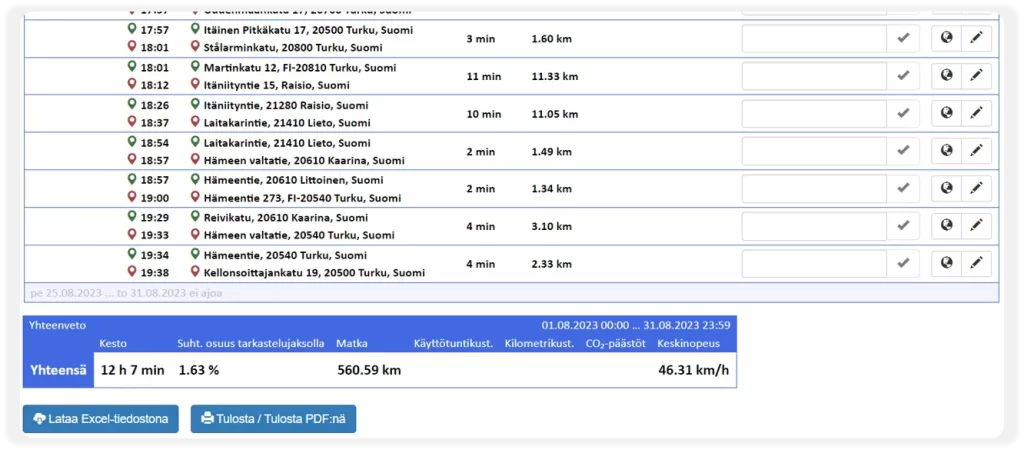
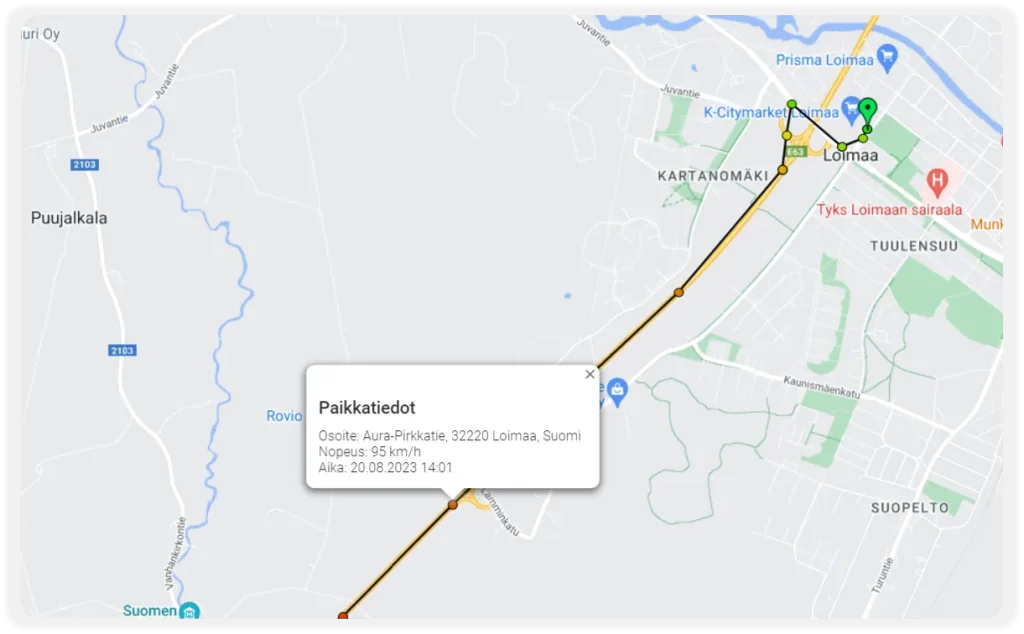
Routes and waypoints
Reviewing route information afterwards. It is possible to open the trips in a map view, where the vehicle's route can be seen.
Time information for waypoints. When viewing route information, you can check the exact time when the vehicle was at a certain point on the route.
Finnish programming work
Since 2009, we have continuously developed our services with a user-orientated approach, attentively listening to our customers and integrating their most valuable feedback into the software. The end result is an affordable and user-friendly electronic driving logbook service with comprehensive additional service support.
Usein kysyt kysymykset
Mikä on sähköinen ajopäiväkirja ja miten se toimii?
Sähköisessä ajopäiväkirjapalvelussa ajoneuvoon asennettu GPS-paikannin kerää ja lähettää sijainti- ja ajotietoja järjestelmään automaattisesti.
Paikannin hyödyntää satelliittipaikannusta (GPS / A-GPS / GLONAS) ja mobiiliverkkoa tiedonsiirtoon. Tiedot päivittyvät selainpohjaiseen järjestelmään, jossa niitä voidaan tarkastella omilla käyttötunnuksilla kartalla, raporteissa ja ajopäiväkirjassa.
Käytännössä tämä tarkoittaa, että ajot tallentuvat automaattisesti ilman manuaalista kirjaamista. Sähköistä ajopäiväkirjaa hyödynnetään työntekijän tai omien ajojen todentamiseen esimerkiksi työympäristössä tai verotarkastuksessa.
Miten sähköinen ajopäiväkirja suojaa yritystä verotarkastuksessa?
Sähköinen ajopäiväkirja tallentaa ajot automaattisesti ja muodostaa niistä yhtenäisen, ajantasaisen dokumentaation. Tiedot, kuten ajon ajankohta, reitti ja kilometrit, ovat valmiina ilman manuaalista kirjaamista.
Koska todistusvelvollisuus ajoista on yrityksellä, ajantasainen ajopäiväkirja vähentää riskiä virheisiin ja jälkikäteisiin arvioihin verotarkastuksessa.
Milloin ajopäiväkirja on pakollinen?
Ajopäiväkirja on käytännössä pakollinen, kun ajoneuvon kuluja vähennetään verotuksessa, tehdään ALV-vähennyksiä tai maksetaan kilometrikorvauksia. Ilman ajopäiväkirjaa vähennysten perusteleminen on vaikeaa. Yrityksellä on todistustaakka, eli sen tulee pystyä osoittamaan ajojen oikeellisuus. Puutteellinen ajopäiväkirja voi johtaa siihen, että verottaja hylkää vähennykset.
Voiko työ- ja yksityisajot erotella sähköisessä ajopäiväkirjassa?
Kyllä. Ajot voidaan merkitä työ- tai yksityisajoiksi, jolloin raportointi ja verotukseen liittyvä käsittely helpottuvat. Tämä vähentää virheitä ja manuaalista selvitystyötä.
Voiko ajopäiväkirjan tiedot hyödyntää suoraan laskutuksessa tai matkalaskuissa?
Kyllä. Ajopäiväkirjan työajot voidaan siirtää matkalaskulle tai hyödyntää laskutuksessa, jolloin ajokilometrit ja matkatiedot saadaan käyttöön ilman erillistä kirjaamista.
Mitä riskejä on, jos ajopäiväkirja on puutteellinen?
Jos ajopäiväkirja ei sisällä vaadittuja tietoja tai se on epäluotettava, verottaja voi hylätä vähennykset tai tulkita ajot veronalaisiksi. Tämä voi johtaa lisäverotukseen. Sähköinen ajopäiväkirja kerää ajotiedot automaattisesti, mikä vähentää virheitä ja varmistaa, että vaaditut tiedot ovat tallessa. Tämä helpottaa verotusta ja vähentää riskiä virheisiin tai hylättyihin vähennyksiin.
See also

Vehicle tracking
A GPS tracker installed in the car records and sends all trips to the Navisystem online service. Real-time tracking and electronic driving logs.

GPS tracking devices
A GPS tracking device is the most reliable way to track the movements of your company's vehicles. Our wide range of trackers guarantees excellent value for money for a variety of uses.