

Work flow management – Additional service for working time tracking
Document management, job search assistant, streamlining information flow.
Keep employees and management informed about the progress of the work
Improve the flow of information in your work community
Our workflow management system is integrated with Navisystem’s work time services. It forms part of a comprehensive time-tracking solution that optimizes the flow of information in work tasks. By combining task management with mobile time tracking, we ensure that the right information reaches the right person, reducing internal inquiries and improving overall efficiency.

Navisystem streamlines employee reporting by connecting clients, project management, and financial administration. During regular clock-ins, employees can easily record completed tasks, fill out forms, add payroll and invoicing data, and include other relevant details. When needed, reporting to project and financial management systems can be seamlessly integrated through dedicated interfaces.
Contact us
Navisystem serves as an information link between clients, supervisors, and field employees
Through interface integrations, orders are transferred directly to employees and supervisors. Completed tasks, billing entries, forms, and other job-related details are then automatically forwarded to the client, ensuring that the client stays up to date on the progress of the work.

Working hours directly to the correct tasks
Record your hours quickly and easily for different tasks/clients
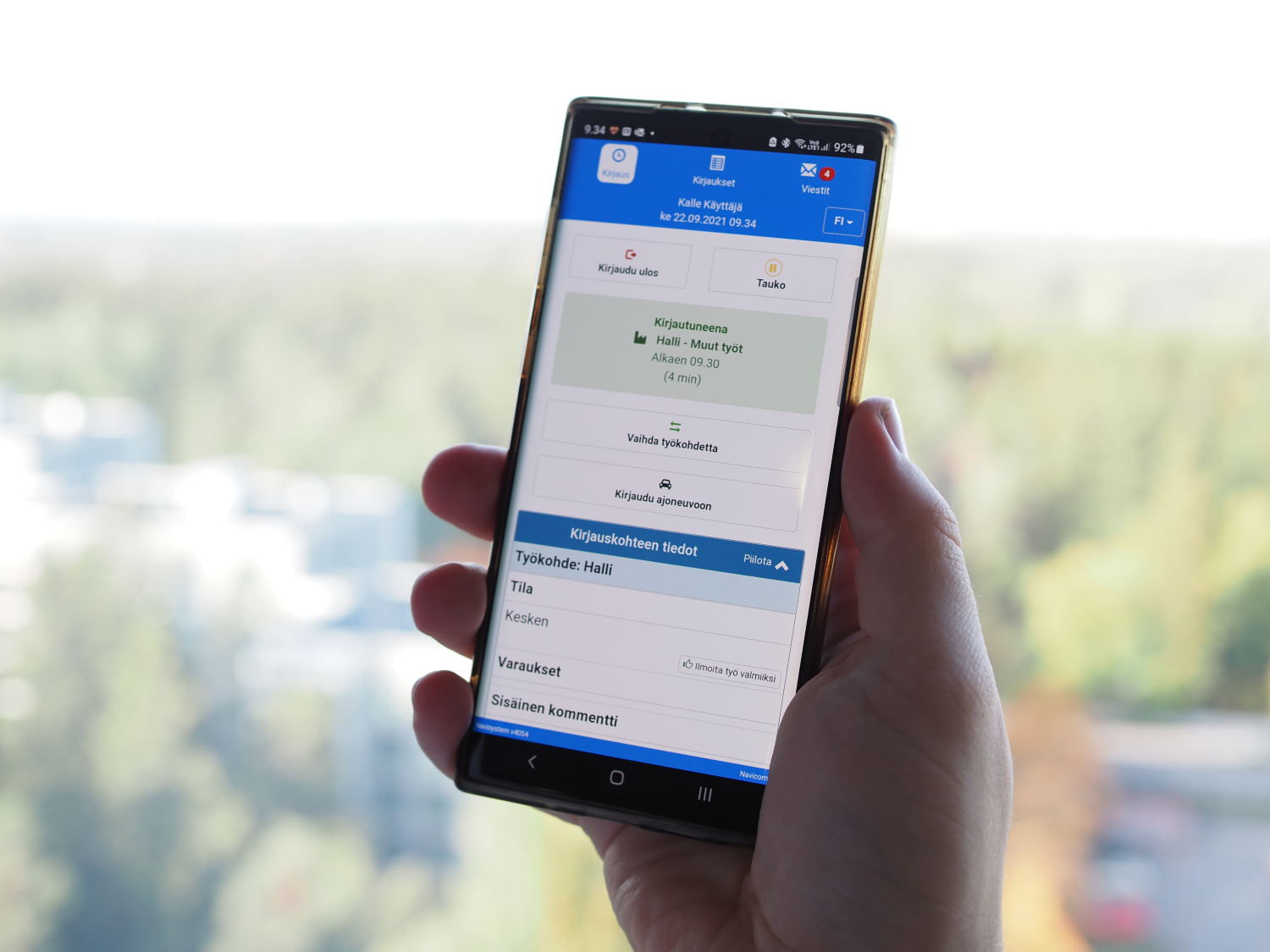
Employees can view job-related details directly in the mobile app
Efficient communication among field workers Necessary information delivered instantly to the field. Additional details included with the order are sent directly to field workers, allowing them to head straight to the work.
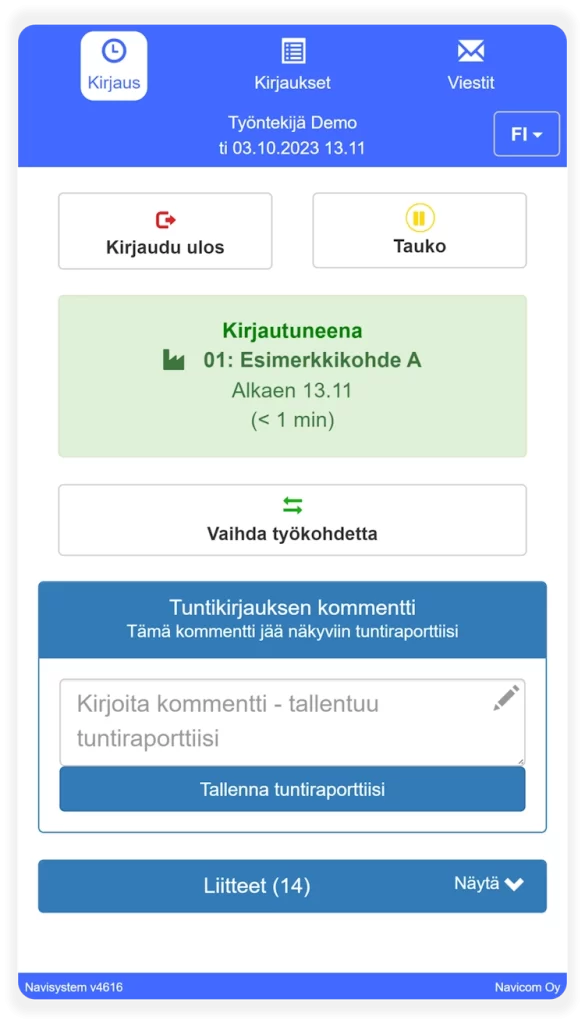

Keep all parties informed about the progress of the work
Book a task for yourself and view the current task schedule
Mark a task as completed. The completion time can be adjusted if needed
New work order notifications are automatically delivered to employees through the client interface
Effective communication flow. Automatic notifications and task reservations speed up response times. Employees receive immediate updates on new tasks.
Effective work allocation. With task booking, supervisors and employees are aware of who is responsible for new assignments, reducing time spent on calls.
Secure and fast invoicing. The work can be invoiced as soon as it is reported complete.
Share information with attachments
Add attachments to a project using a mobile device: including photos, floor plans, work orders, and other relevant documents
Browse attachments posted by others
Convenient attachment search. Attachments can be viewed immediately after selecting a work site, eliminating time spent searching for the right files in the cloud.
Effortless saving to the correct location An image is often the best way to convey information. You can conveniently save photos taken with your phone during a work entry directly to the project.


Electronic forms on mobile
Fill out the forms electronically:
– Mittarointilomakkeet
– Tapaturmalomakkeet
– Työmaapäiväkirjat jne.
Form information delivered straight to clients and supervisors
Quick form search. The forms can be found immediately after selecting a job, and no time is wasted searching for the right forms in the cloud service.
Easy data entry. The completed form is automatically linked to the correct login destination and handler.
Invoicing entries
Mark invoicing tasks for work orders with just a few clicks
The services ordered by the customer are automatically displayed on the tasks when the work is transferred from the order system to Navisystem
Saves time. Marking the task is as simple as pressing the plus button.
Accurate reporting. The correct task is typically reported to the customer, as it is pre-selected in the work log.
Supports performance bonuses. The completion time of the work can be easily used in a reward system based on the assignment's execution time.
Streamlined invoicing. Kaikki laskutettavat suoritteet on aina liitetty oikeille projekteille.


Customizable task search
Customizable job search filters help employees quickly and easily find their tasks, even from a long list
All unstarted work tasks
All unfinished work tasks
My reservations
Management reservations
Unbooked work tasks
etc.
The option to view work details before logging in
Makes it easier to sign up for the right job. For example, viewing job details before logging in.
An easy way to inform employees about new work tasks For example, work reservations.
Client communication
Provide updates on work progress and key details directly to the customer.
Customizable forms make it possible to share information with the client in a variety of ways. The images on the right show a few examples of possible uses.
Faster and more accurate communication. Customer satisfaction improves when communication is transparent and up-to-date.
Effective internal communication. Your own staff knows more precisely what stage the work is currently at.


View vehicle locations
Track where the vehicles are moving
Vehicle visibility can be limited per employee
Invoicing kilometers effortlessly. Work site-specific vehicle mileage and driving hours, easily accessible from the vehicle work report.
Improves work coordination. It is easy to send the right vehicle unit to perform a task when the location and the nearest available units are known.
Improved workplace safety. The locations of vehicle units operating in the field are always known. An additional service option is a dead man's switch, which sends an alarm if it has not been pressed by the deadline. Ask for more information from our sales department!
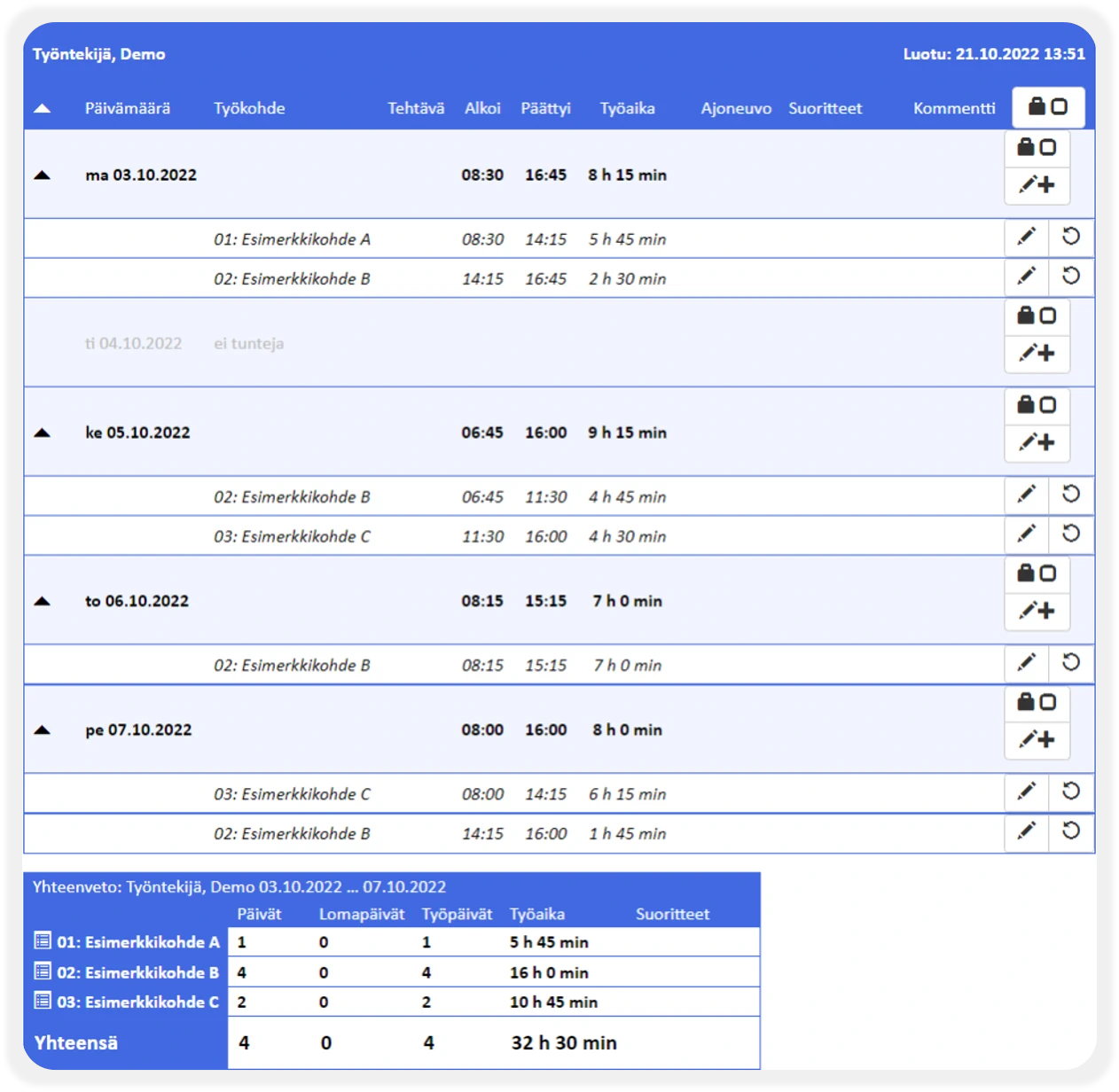
Employee time report
The hourly report shows all work logged by the user (location information can be taken from check-in and check-out if necessary).
In the report, you can also review the change history of work entries, and employee hour confirmation is available for five different user groups.
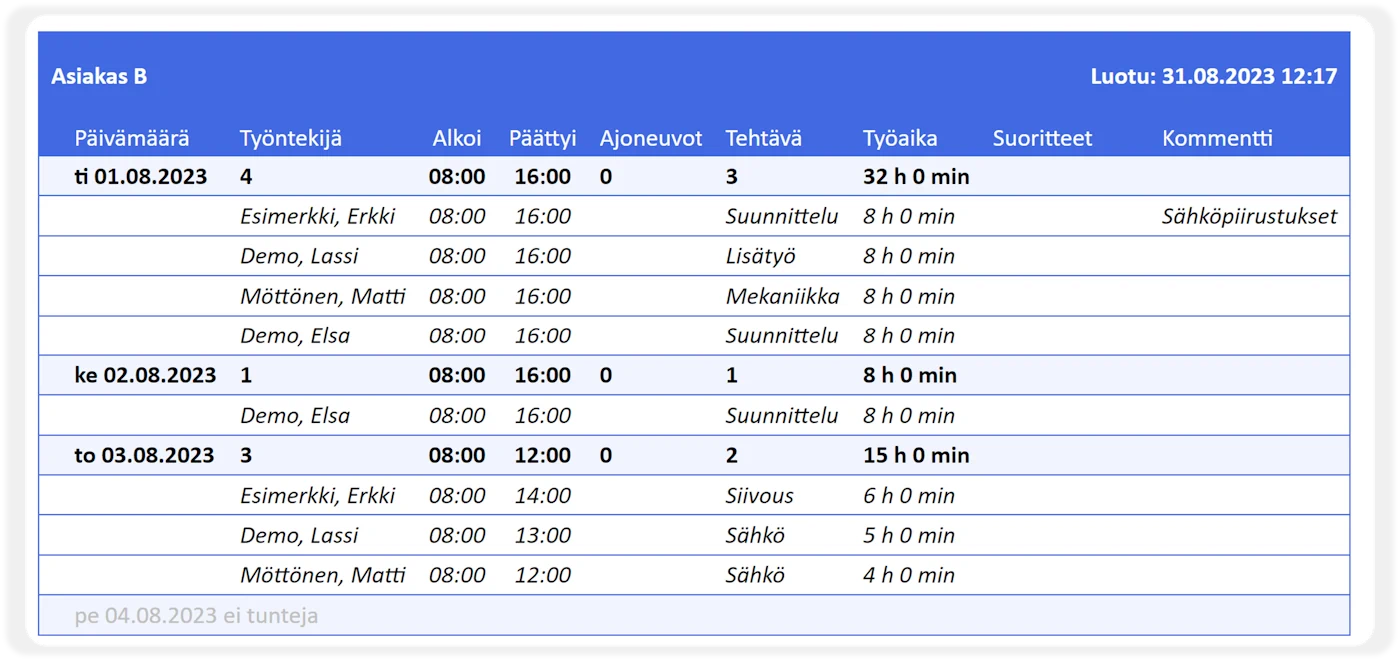
Work site report
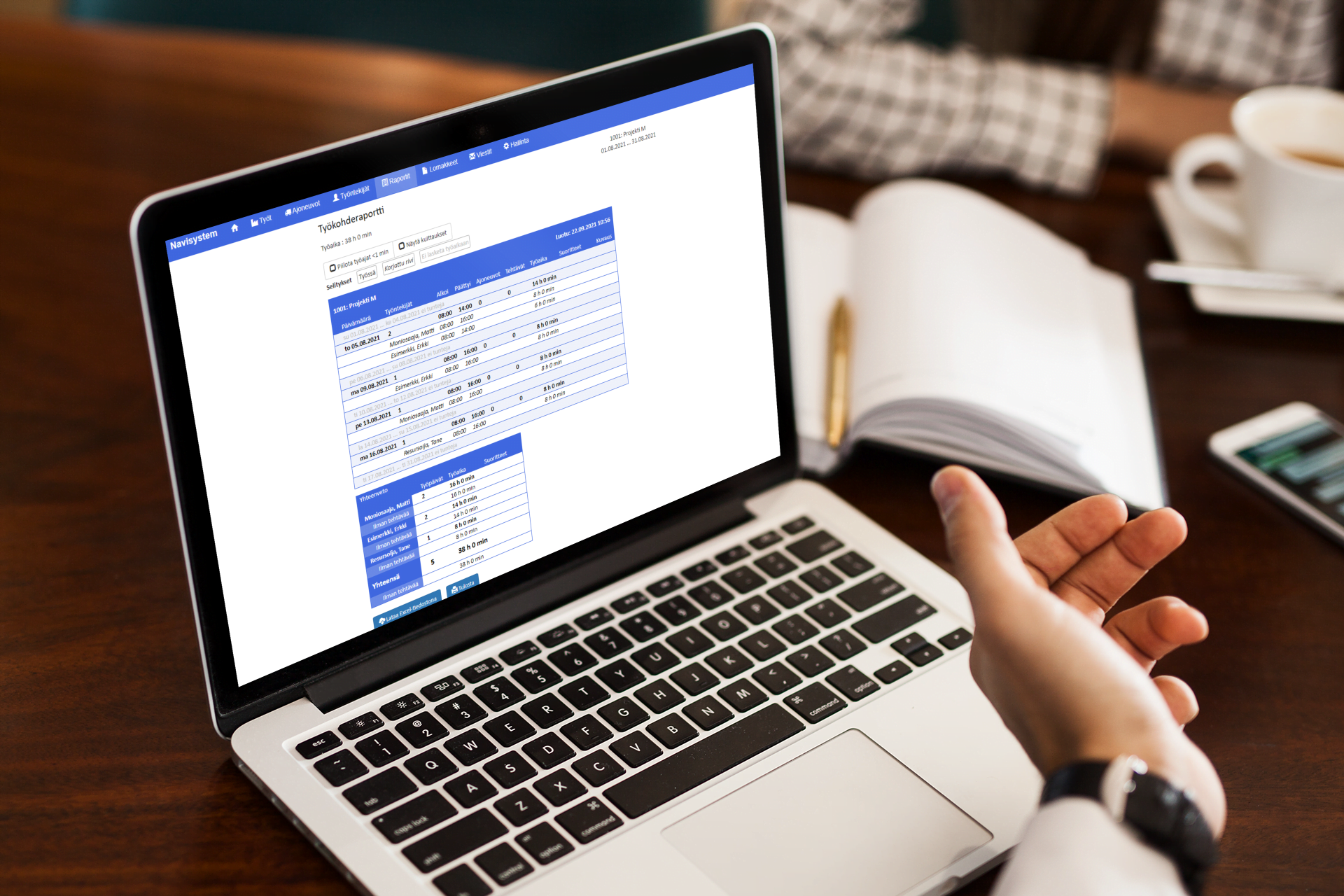
The work site report shows all tasks performed for the work site, customer, or project, organized by employee
The report is ideal for supporting invoicing (uninvoiced vs. invoiced work)
The work site report and summaries can be saved and attached for the client
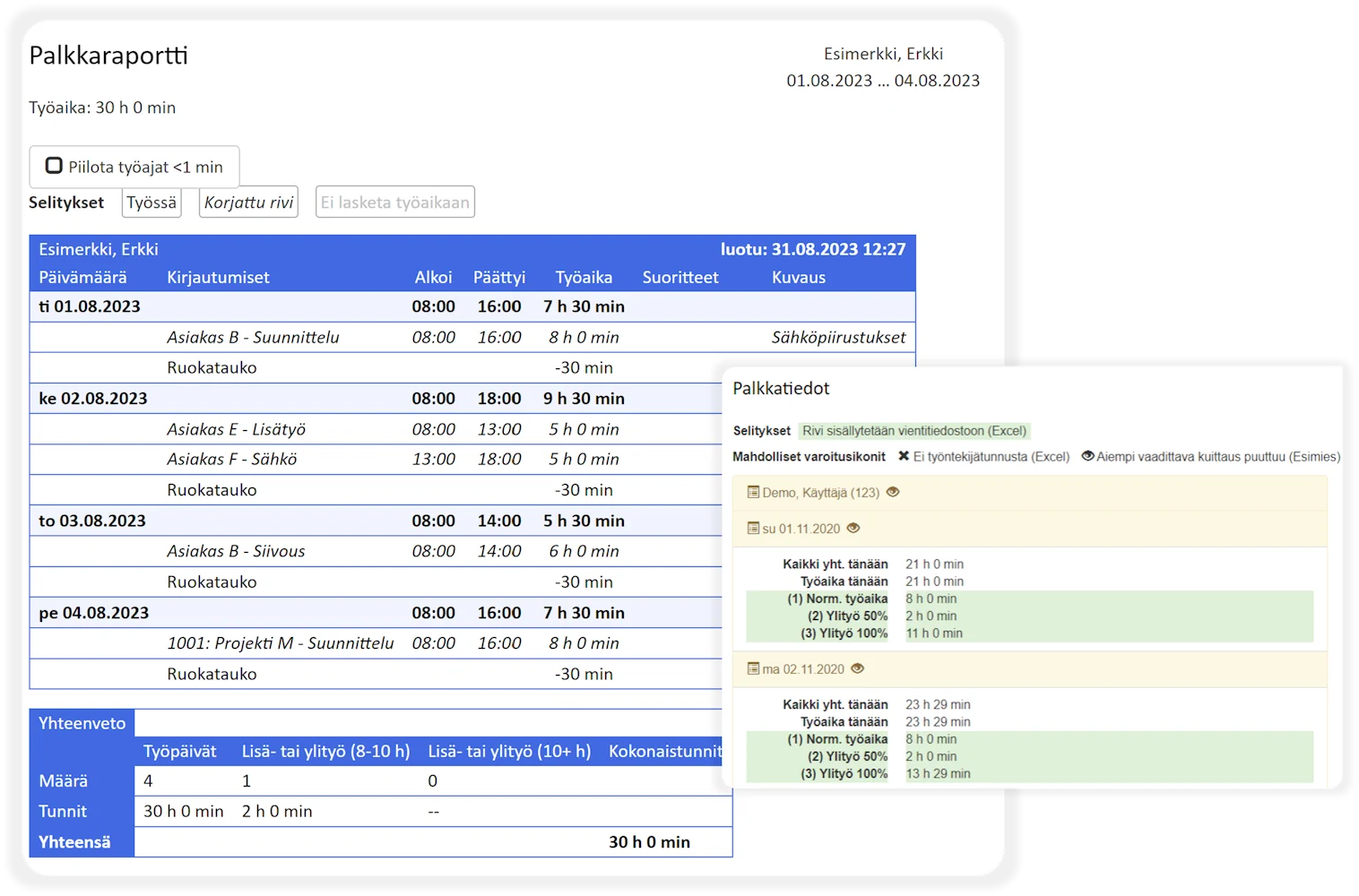
Salary report and salary information report
The payroll report has been designed for effortless salary processing, when only minimal payroll interpretation is required for work entries.
The Payroll Details report is enabled separately if work entries require needs-based payroll interpretation, such as TES application for employees.
Monthly report
The monthly report shows all hours worked in the company during the selected time period.
The report makes it easy to check, for example, the total working time recorded by employees, both per work item and per employee.
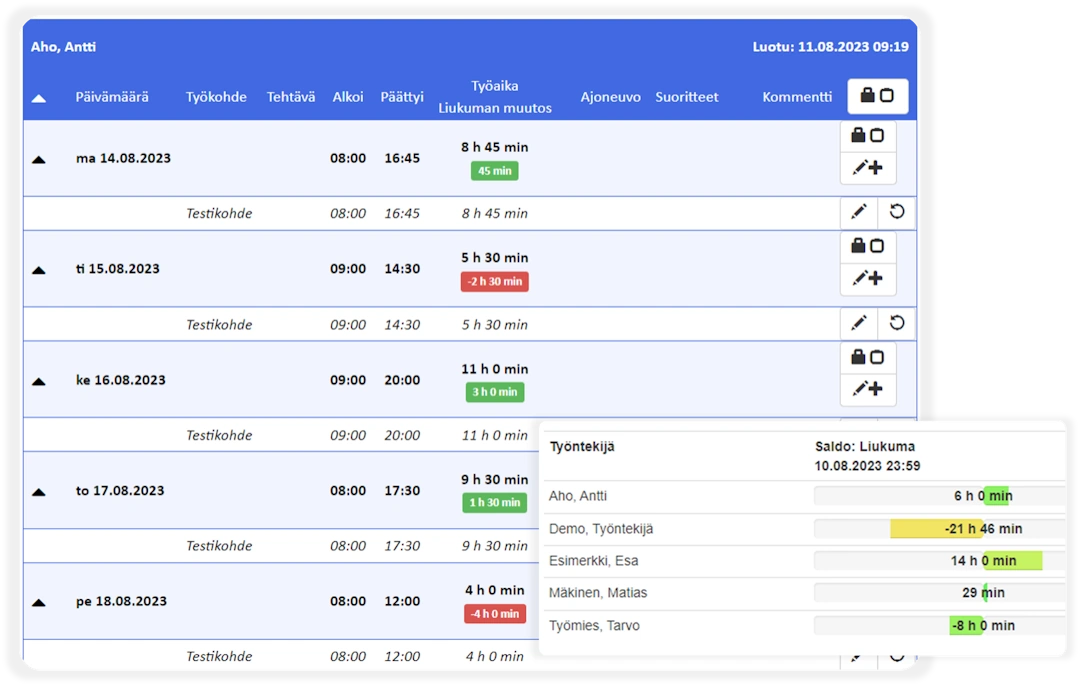
Flexitime
The employee can view their balance in both the mobile and web services
The employee time report shows changes in balances
Flex time rules are defined on a needs basis for different employee groups
Viewing, editing, and creating entries
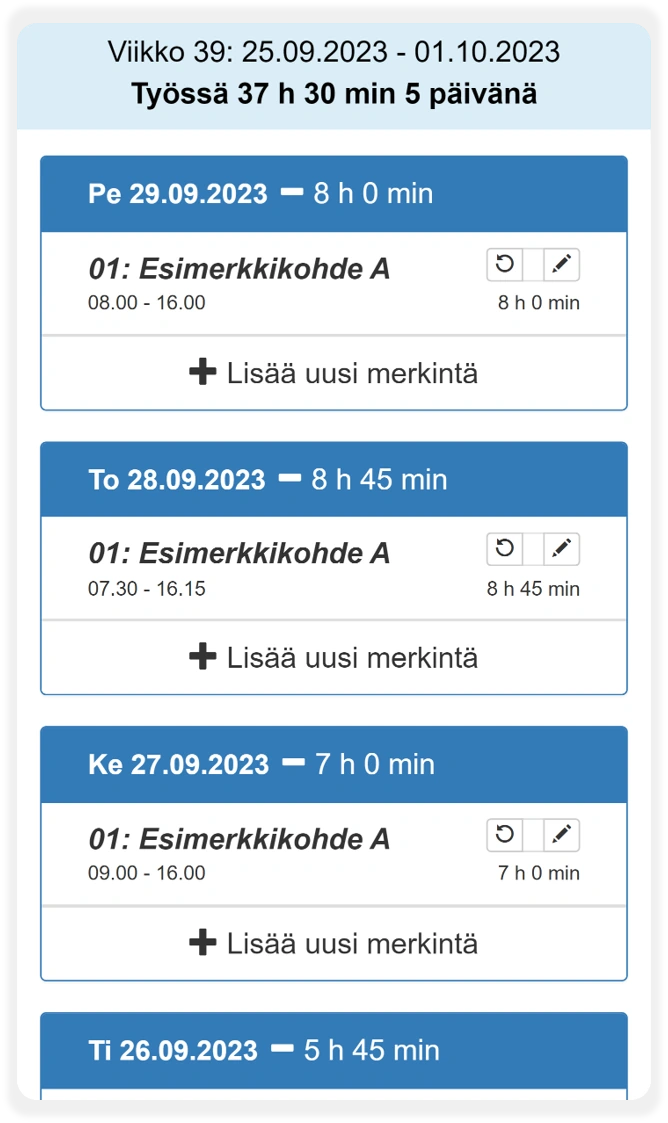
On the Entries tab in the mobile service, users can view their own entries
Entries can be edited if the user has permission to make corrections
It is also possible to add new entries if the user has permission to do so. In some companies, all records are made through this view, similar to using a timesheet
Navisystem work control works together with other systems

Benefits for various stakeholders

Features such as task reservation and vehicle tracking make it easier to assign task to the right personnel:

Not a single invoice will be left unbilled with the following simple actions:

Management
Workforce
Features such as task reservation and vehicle tracking make it easier to assign task to the right personnel:
Payroll processor
Billing clerk
Not a single invoice will be left unbilled with the following simple actions:
Subcontractors
See also

Export of travel information to the tax authorities
Export travel information to the tax authority with a few clicks to the tax authority's own Ilmoitin.fi service or to the Vastuu Group's construction site register service.

Work time tracking via mobile phone
The most versatile option for transmitting various additional information. For all smartphones. TES interpretations and work flow management etc.