


Electronic travel invoice and driving logbook
Utilize vehicle tracking to automatically collect and transfer work trips to travel invoices
GPS tracker -> Driving log -> Travel invoice
Work can include client meetings, trade shows, training sessions, and driving between work sites. Every kilometer can be reimbursed faster and more accurately. All you need is a system that makes creating travel invoices easy, fast, and accurate.

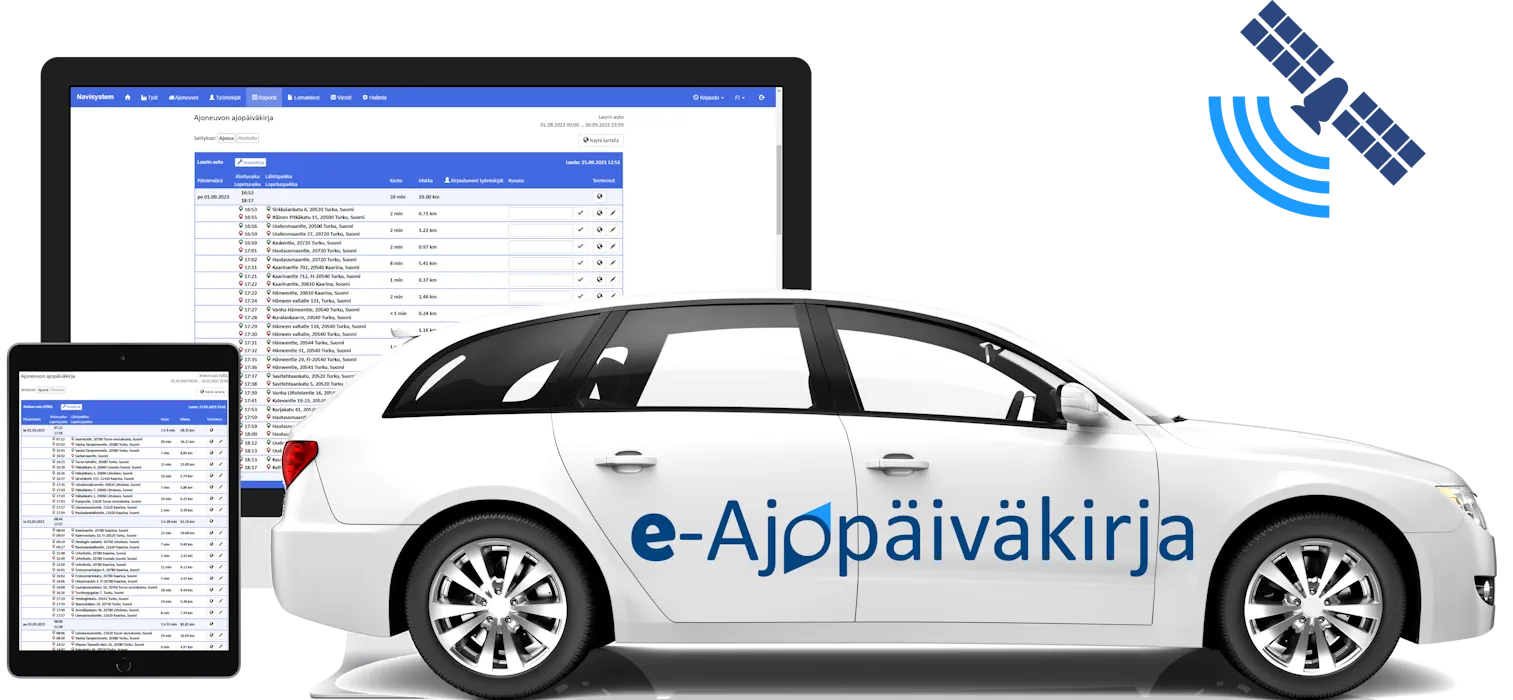
Give up manual travel expense reporting and let Navisystem free up your employees' time for productive work. The employee's personal vehicle tracker automatically records all trips in an electronic driving logbook.
Contact us
Why collect kilometers with an automatic driving logbook?
Speed up the process and reduce manual work. Your company no longer writes down mileage and per diems by hand.
Makes financial management work more efficient. Reports are compliant, and travel expenses are easy to pay based on the collected data.
Improves employee well-being. A fast and clear compensation process increases satisfaction and motivates employees to move efficiently.
Features
Travel invoice. Easy transfer of work trips to travel invoices. Automatic calculation of daily allowances and addition of expense reimbursements in one go.
GPS locator. We deliver a GPS locator that adapts to the customer's needs. Additional services include driver identification and vehicle work mode selection.
Mileage reimbursementsAutomatic calculation of mileage and transfer of reimbursements directly to the travel invoice.
Three different installation methods : cigarette lighter socket, OBD port or fixed installation.
Emission calculation. Real-time travel carbon footprint calculation and CO2 emission summaries
Monthly fee per vehicle. Prices include a locator, data connection, customer support and service license.
Functionality guarantee. We will replace the defective locator with a new one free of charge.

Automatic driving logbook to support travel invoice creation
Navicom's travel expense service utilizes a GPS locator that automatically records journeys in an electronic driving logbook.
Trips marked as working time from the driving logbook can be transferred directly to the travel invoice, which means that daily allowances are also automatically generated on the new travel invoice template.
This is exactly how it works:
Attach a GPS tracker to your vehicle, which will automatically compile a driving log of all your trips without manual logging.
Separate work and private trips, either during the drive or afterwards.
Select a vehicle and a time period. Navisystem automatically compiles all driving data into one view. You can filter out only work trips with one click.
Mileage reimbursements are calculated automatically. Mileage reimbursements and daily allowances determined by the Tax Administration are added using the correct calculation bases.
Add other expenses to the travel invoice if necessary, such as accommodation, parking, and travel expenses.
Approve travel invoices smoothly – the approver can be an employee, supervisor or payroll.
The completed travel invoice can be immediately shared in PDF format, for example to accounting or other stakeholders.

Choose the locator model that suits your needs
The Navicom driving log service automatically starts recording data in the driving log when the tracker is attached to the vehicle. The electronic driving log report, approved by the tax authorities, is available at any time in your own Navisystem web application.

For the battery terminals or fuse box
When your driving is mainly for work, the best choice is a device model that attaches to the battery's positive and negative terminals. It's a worry-free and reliable solution for continuous use.
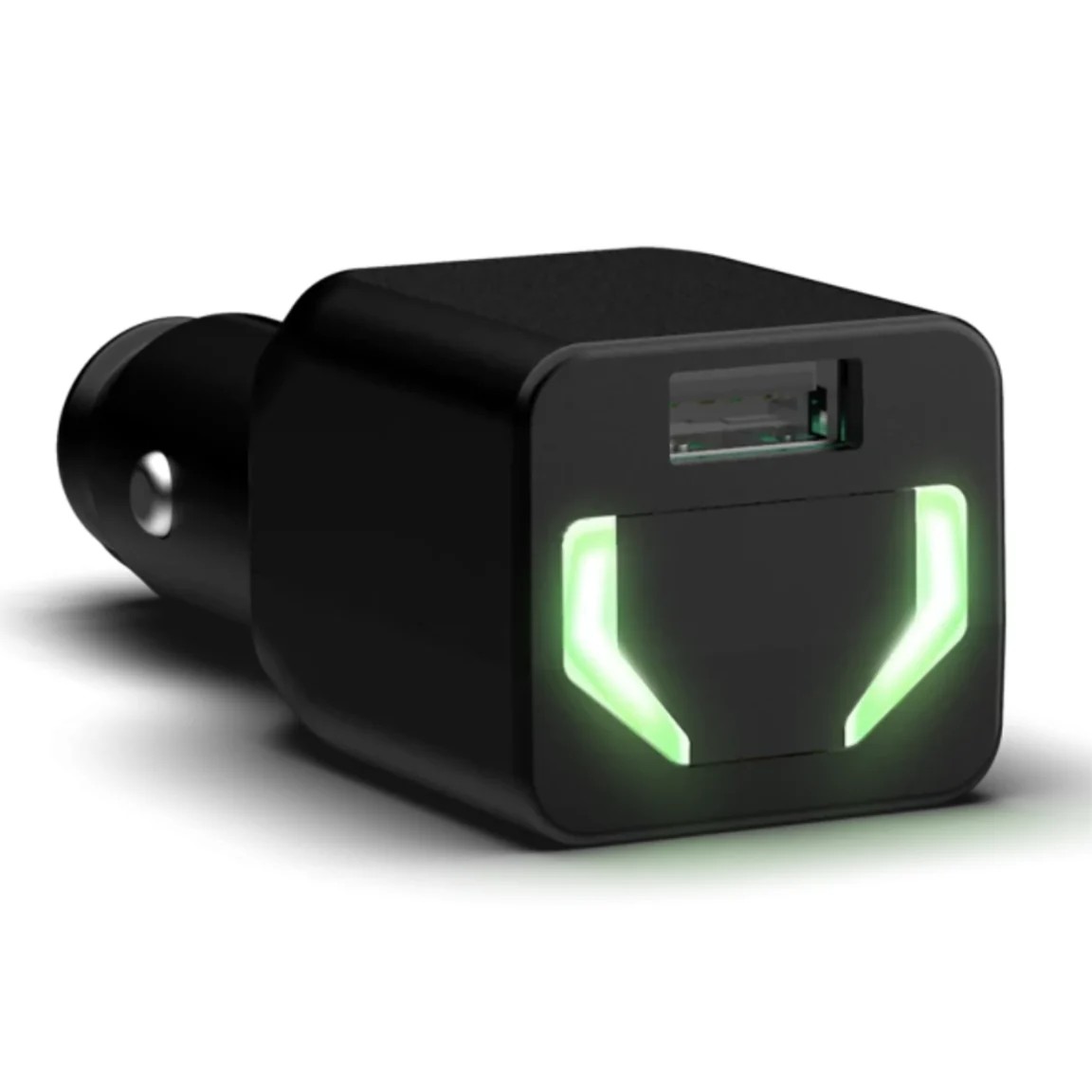
For cigarette lighter socket
Work and private trips are separated by a button during the drive. Particularly suitable for situations where there are many private trips or where you want to temporarily disconnect the tracker.

For the fuse box
Business and private trips are distinguished during the journey using a button installed in the vehicle cabin. A good choice when you want a tracker with continuous power.
Read more about keeping a driving diary on our blog.
Want to read more about keeping a driving diary? Read these articles!

Best practices for the travel expense process
Good travel expense reporting practices are not just about tools. The process also requires clear rules and guidelines:
Define approved expense categories (travel, per diem, accommodation, etc.)
The instructions clearly state what receipts are needed and how quickly the invoice should be made.
Use a GPS tracker to automatically record your rides to reduce errors and save time.
If the vehicle is also used for private trips, separate the trips using the button while driving. (i.e. when work trips are already separated in the driving log, transferring the kilometers to be reimbursed to the travel invoice is much faster and more error-free)
Less logging, more control
Forget about manual logging. Navisystem collects trips, calculates reimbursements, and generates travel invoices for you – ready to be approved and sent.
See also

Vehicle tracking
A GPS tracker installed in the car records and sends all trips to the Navisystem online service. Real-time tracking and electronic driving logs.

GPS tracking devices
A GPS tracking device is the most reliable way to track the movements of your company's vehicles. Our wide range of trackers guarantees excellent value for money for a variety of uses.